
https://[user]:[passwd]@github.com/[repo] 가 안 될 때
private repo 를 만들고 나면 github username 과 passwd 를 맞게 넣어도 git clone 이 실패합니다.
$ git clone https://github.com/ech/gh-example-e2e.git ttt
'ttt'에 복제합니다...
Username for 'https://github.com': ech
Password for 'https://ech@github.com':
remote: Invalid username or token. Password authentication is not supported for Git operations.
fatal: https://github.com/ech/gh-example-e2e.git/에 대한 인증이 실패하였습니다
기존 username 기반 로그인을 막은 github의 정책 때문입니다.
이걸 몇 달 동안 모르고 “왜 안 되지?” 라고만 생각했네요.
Personal Access Token 을 생성하면 기존과 거의 동일한 동작을 할 수 있습니다.
근데 패스워드가 열나게 깁니다. 그래도 되긴 됩니다.
PAT를 생성하는 방법은 이렇습니다.
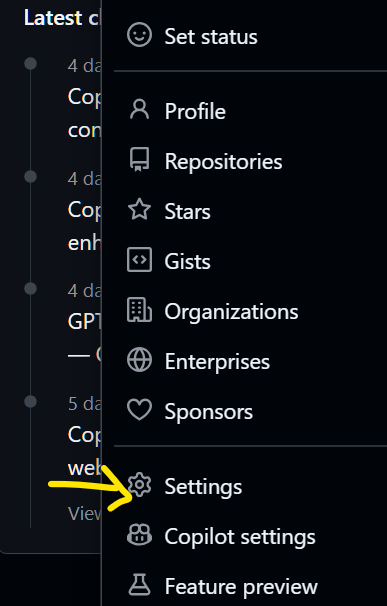
화면 우상단 github 계정 아이콘을 누르면 나오는 메뉴에서 setting 으로 선택
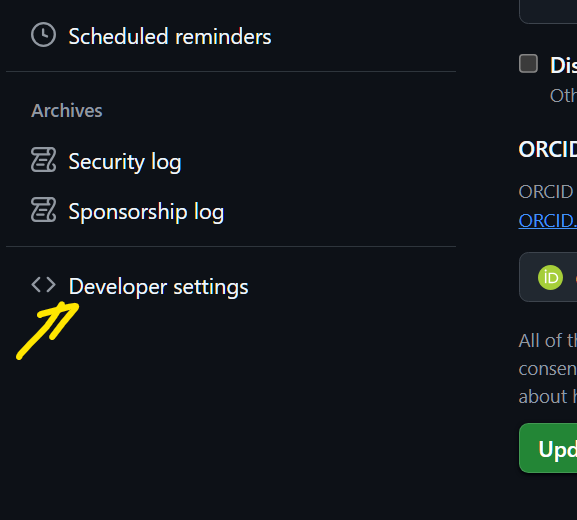
왼쪽 메뉴 중 가장 아래의 developer settings 선택
Personal Access Tokens 중에서 fine grained tokens 선택후 Generate New Token 버튼 클릭
(classic 토큰을 쓰는 사람이 아직도 많은 것 같은데, fine grained PAT 가 권장사항이더군요)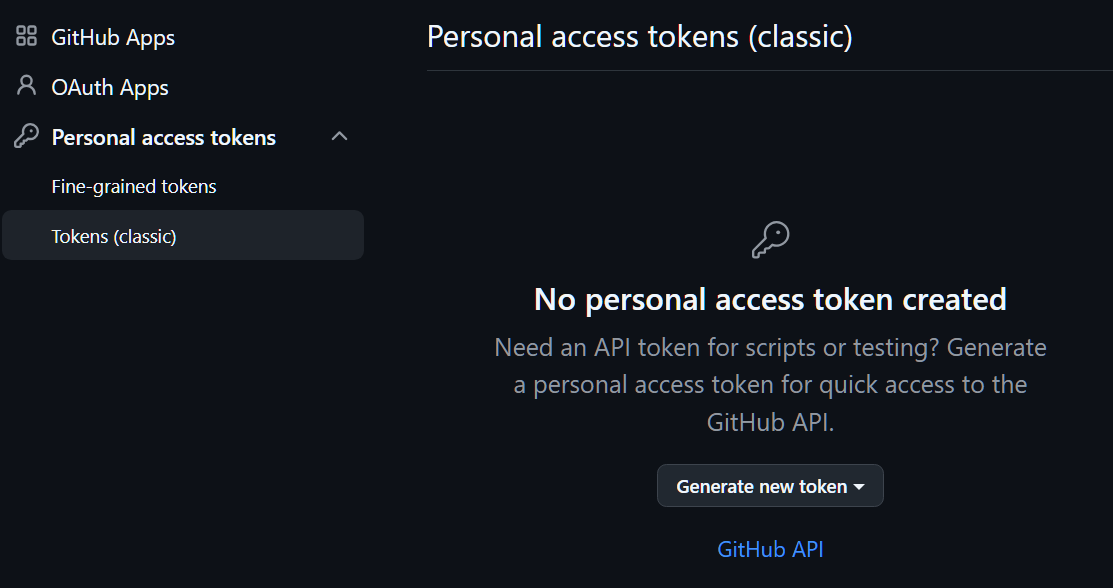
생성되고 나면 이렇습니다.
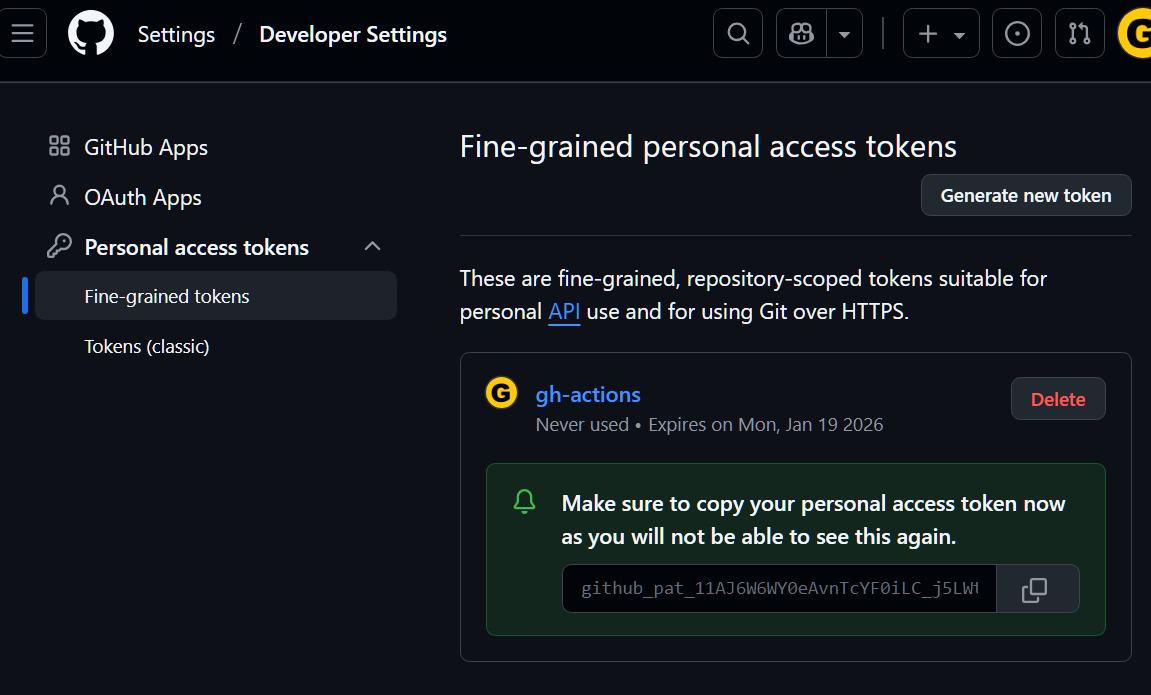
이제 token name 과 access token 값을 기존의 userid 과 passwd 처럼 사용하면 됩니다.
예를 들어 다음과 같다면
token name: gh-actions
access token : github_pat_11AJ6W6WY0eAvnTcYF0iLC_j5LWt2J6W6WY0eAvnTcYF0iLC_j5LWt2
git clone https://github.com/username/repo123.git
대신에
git clone https://gh-action:github_pat_11AJ6W6WY0eAvnTcYF0iLC_j5LWt2J6W6WY0eAvnTcYF0iLC_j5LWt2@github.com/username/repo123.git
라고 입력하면 clone 에 성공하고 이후에 git push 도 가능합니다.
에구, 사는얘기보다는 팁이네요. (사실 지식 게시판에 먼저 쓰다가 불편해서… )
